

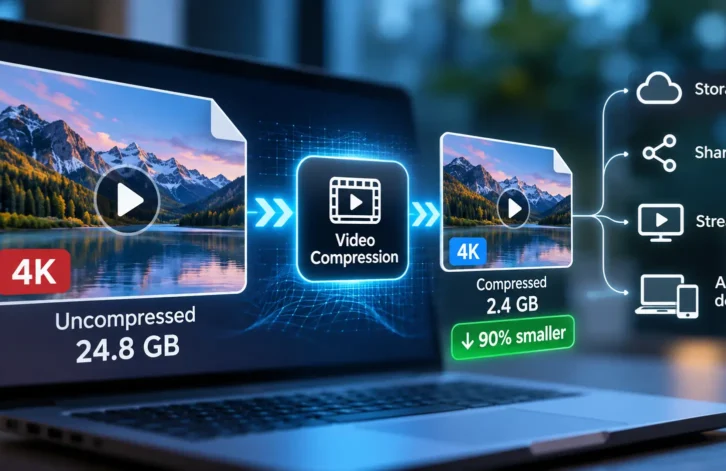
Videos have become a regular part of how people communicate, learn, and share information. From recording family moments to creating product demonstrations, video content is used across almost every industry. However, high-quality recordings often produce large files that take up storage space and require more time to upload, download, or send to other people. Finding a practical way to manage these files can make everyday digital tasks much easier.
One useful solution is a video compressor, which reduces file size while aiming to preserve as much visual quality as possible. Whether someone works with videos professionally or simply records clips on a smartphone, understanding how compression works can help them manage their content more efficiently.
Why Video Files Become So Large
Video files contain much more information than ordinary photographs or text documents. Every second of footage consists of multiple frames, and each frame contains visual details such as colors, movement, lighting, and textures. Higher resolutions and faster frame rates generally require more data, which increases the final file size.
For example, a short recording captured in 4K may occupy considerably more storage than the same scene recorded at 1080p. Recording length also matters. A thirty-minute video will usually require more space than a thirty-second clip when other settings remain similar.
Audio quality, recording format, and compression settings can influence the result as well. These factors explain why two videos of similar length may have noticeably different file sizes.
How Video Compression Works
Video compression reduces the amount of data needed to store or transmit a recording. Some compression methods remove unnecessary information, while others preserve more original data to maintain higher quality.
Many modern video formats use techniques that identify similarities between consecutive frames. Instead of storing every visual detail repeatedly, the encoder can represent changes between frames. This approach helps reduce file size without requiring every frame to be stored independently.
There are two main categories of compression. Lossless compression preserves the original information, allowing the video to be reconstructed without losing data. Lossy compression removes some information to achieve greater reductions in file size. Although lossy methods are common for online videos, the results depend heavily on the settings selected.
The right balance between file size and image quality depends on how the video will be used.
Benefits of Reducing Video File Sizes
Easier File Sharing
Large videos can be difficult to send through email, messaging applications, and online forms because these services often impose upload limits. Reducing a file’s size can make sharing more convenient and prevent unnecessary transfer problems.
This is especially useful for students submitting assignments, employees sharing presentations, and freelancers delivering completed projects to clients.
More Available Storage
Phones, laptops, and tablets can fill up quickly when they contain numerous recordings. Compressing selected videos may help users keep important footage without immediately purchasing additional storage or deleting valuable files.
For people who regularly record tutorials, meetings, or personal events, managing file sizes can become an important part of maintaining an organized digital library.
Faster Uploads
Uploading a large video can take considerable time, particularly when the internet connection is slow or unstable. Smaller files generally transfer more quickly because fewer bytes need to be uploaded.
This can benefit content creators who publish regularly, businesses that update product demonstrations, and teams that exchange video materials throughout the working day.
Smoother Online Workflows
Businesses frequently use video in marketing campaigns, customer support, training sessions, and internal communication. Keeping files at manageable sizes can simplify collaboration and reduce delays when transferring material between departments.
Smaller files can also make it easier to maintain backups and organize shared folders.
Choosing the Right Compression Settings
Reducing file size should not mean sacrificing more quality than necessary. Before compressing a recording, consider where it will be published and what viewers need to see.
Resolution is one important setting. A 4K video may be appropriate for a large display, while 1080p or 720p may be sufficient for many presentations and social media posts.
Bitrate also affects the relationship between quality and file size. A higher bitrate usually preserves more detail but creates a larger file. Lower settings reduce storage requirements, although excessive reduction can produce visible artifacts, blurry details, or blocky images.
The format matters too. Modern codecs can often provide good quality at smaller sizes, but compatibility should be considered when sharing files with people who use different devices or software.
Whenever possible, test the settings on a short section before processing an entire recording. This makes it easier to evaluate the results and adjust the settings if necessary.
Common Mistakes to Avoid
One frequent mistake is compressing a video repeatedly. Each additional lossy compression can remove more visual information, making the final recording look worse than the original.
Another mistake is choosing the smallest possible output size without checking quality. A file that saves significant storage but makes text unreadable or important details difficult to see may not be useful.
Users should also avoid deleting original recordings immediately after compression. Keeping an original copy provides a reliable backup if the compressed version does not meet expectations.
Finally, privacy deserves attention when using online tools. Videos may contain personal conversations, private documents, or identifiable individuals. Before uploading sensitive footage, review the service’s privacy policy and consider whether offline software would be a safer option.
Conclusion
Video files are essential for communication, education, entertainment, and business, but their size can create practical challenges. Large recordings consume storage, take longer to transfer, and may complicate collaboration.
Understanding compression methods and selecting suitable settings helps users reduce these problems without unnecessarily damaging video quality. By considering resolution, bitrate, file format, and privacy, anyone can develop a more effective approach to managing digital recordings. A thoughtful compression process saves time, improves organization, and makes video content easier to store and share.